A calmer New Tab, and every bookmark one shortcut away
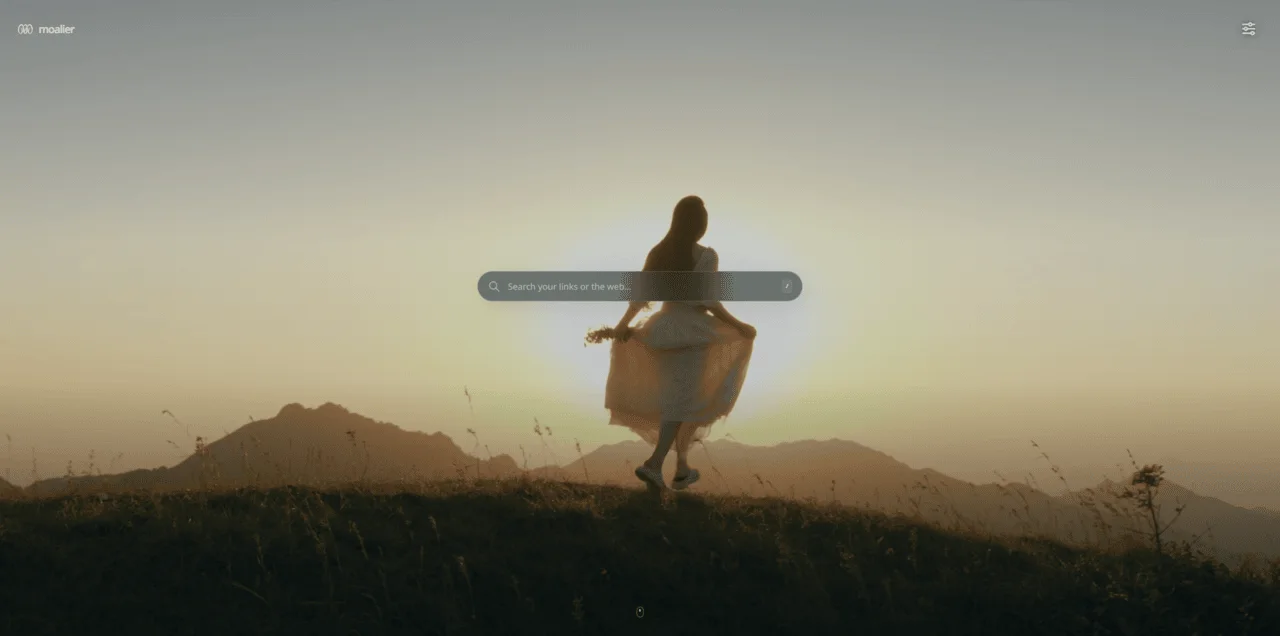
MOALIER turns your New Tab into a quiet scene with your own photos. Drag links into a bundle as you browse, and save and find them from any page. It's free, and you don't need an account.
 Add to Chrome
Free · Replaces your New Tab page
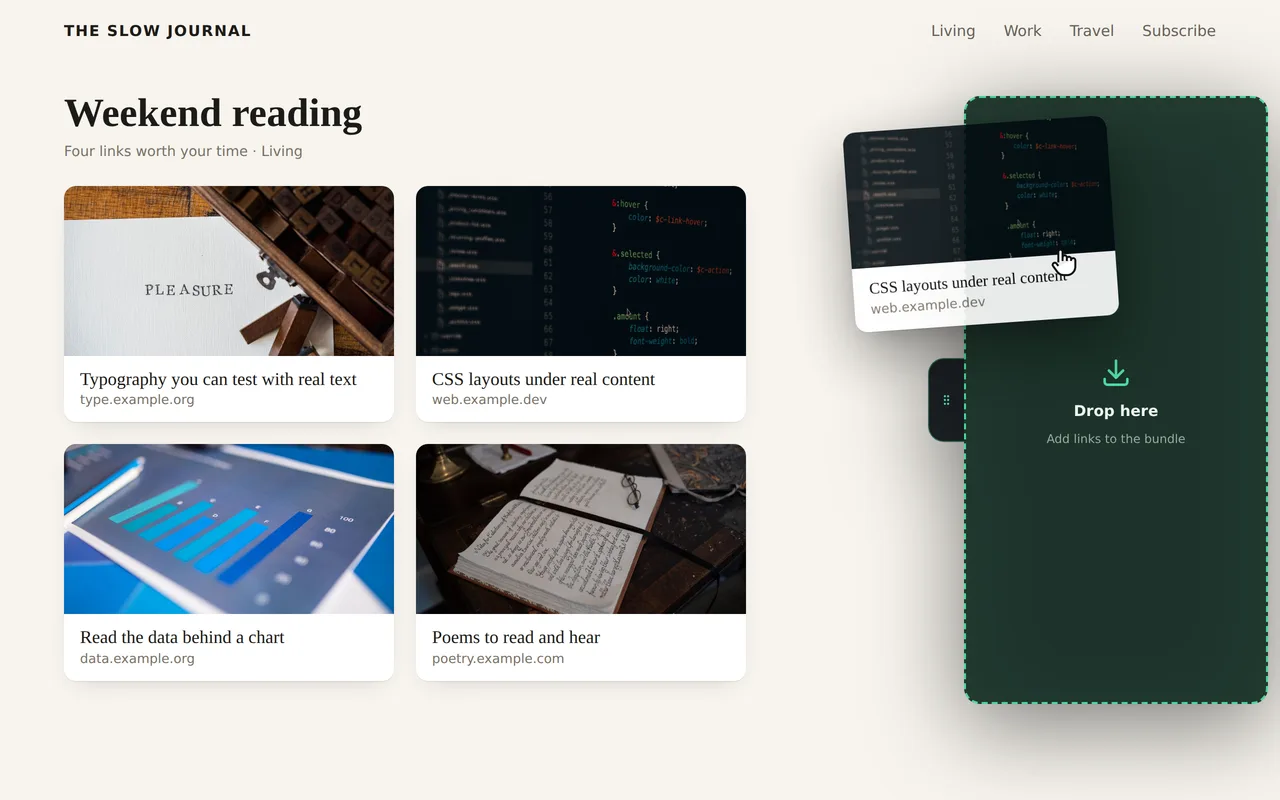
Drag any link into your bundle
Found something worth keeping? Drag the link to the edge of the page and drop it in the bundle that slides out. Articles, search results, YouTube videos, even an address in plain text. You keep reading, no new tabs pile up, and you save them all or turn them into a collection when you're ready.
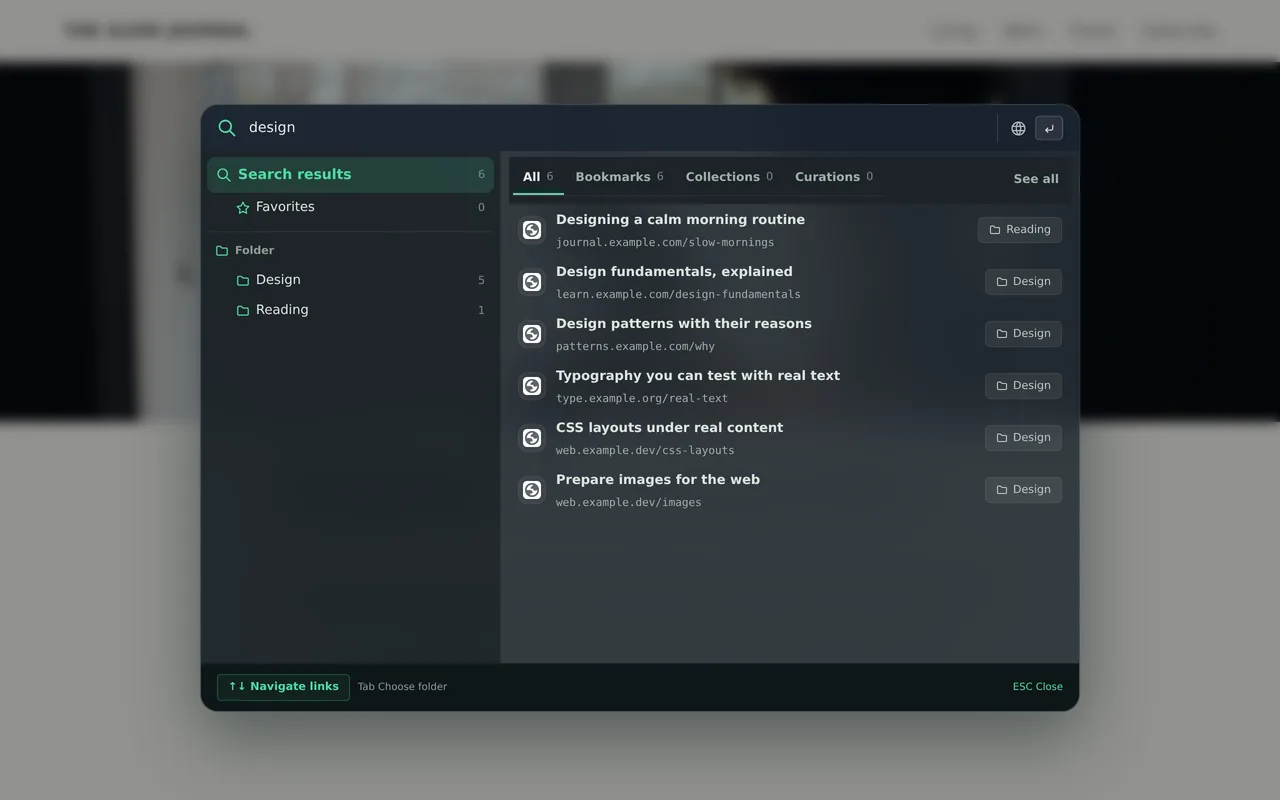
Find any bookmark without leaving the page
Press Ctrl+Shift+F on any page. Your saved links come up as you type, and the same words can go to the web, YouTube or ChatGPT.
Save a page in one click
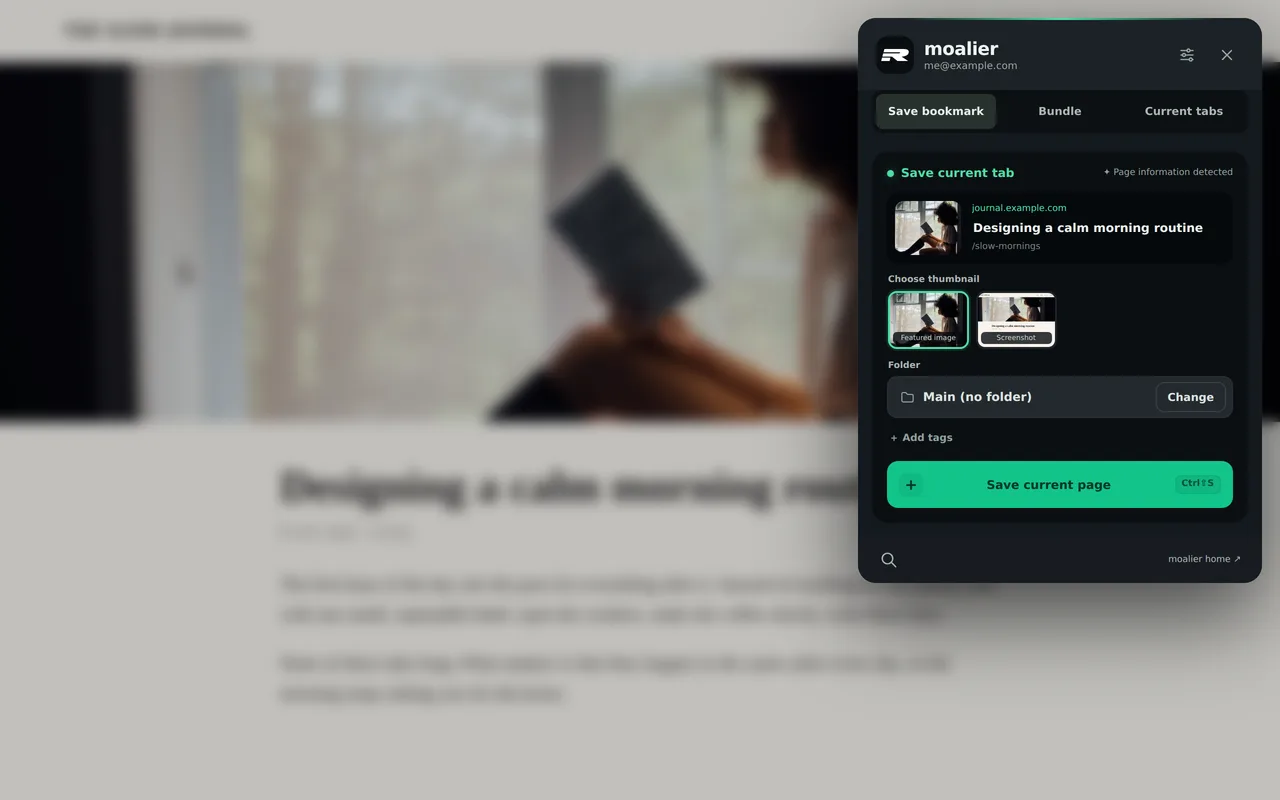
The thumbnail, title and folder are filled in for you. Add tags if you like, or save every open tab at once.
Bookmarks you'll enjoy looking at
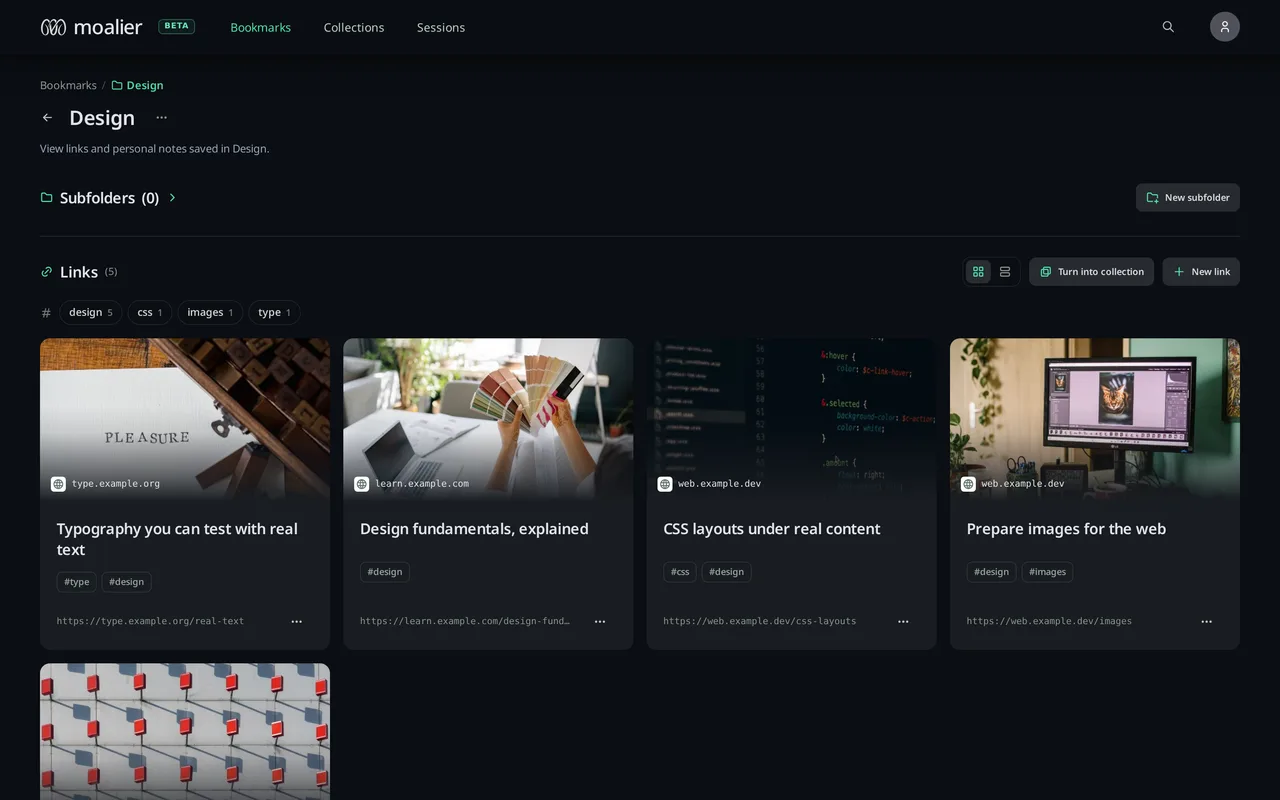
Your links show up as cards with their pictures, sorted into folders and collections you can open from any New Tab.
- No account needed. Your links stay on this device.
- Imports your Chrome bookmarks without ever changing them.
- Nothing you save is public unless you choose to share it.
Other browsers
Edge, Brave, Vivaldi and Whale install it from the Chrome Web Store.




Coming later to Firefox and Safari.